No silences, no “uh”s
The audio or video version without the silences or the hesitations it finds, keeping the pause you want between sentences.
 Otocut
EN
Open Otocut
Otocut
EN
Open Otocut
Podcasts and interviews
Drop the recording, audio or video: Otocut finds every sentence, removes the silences and gives you the edit, the transcript and the subtitles. Everything happens on your computer.
Free, no sign-up, nothing is uploaded.
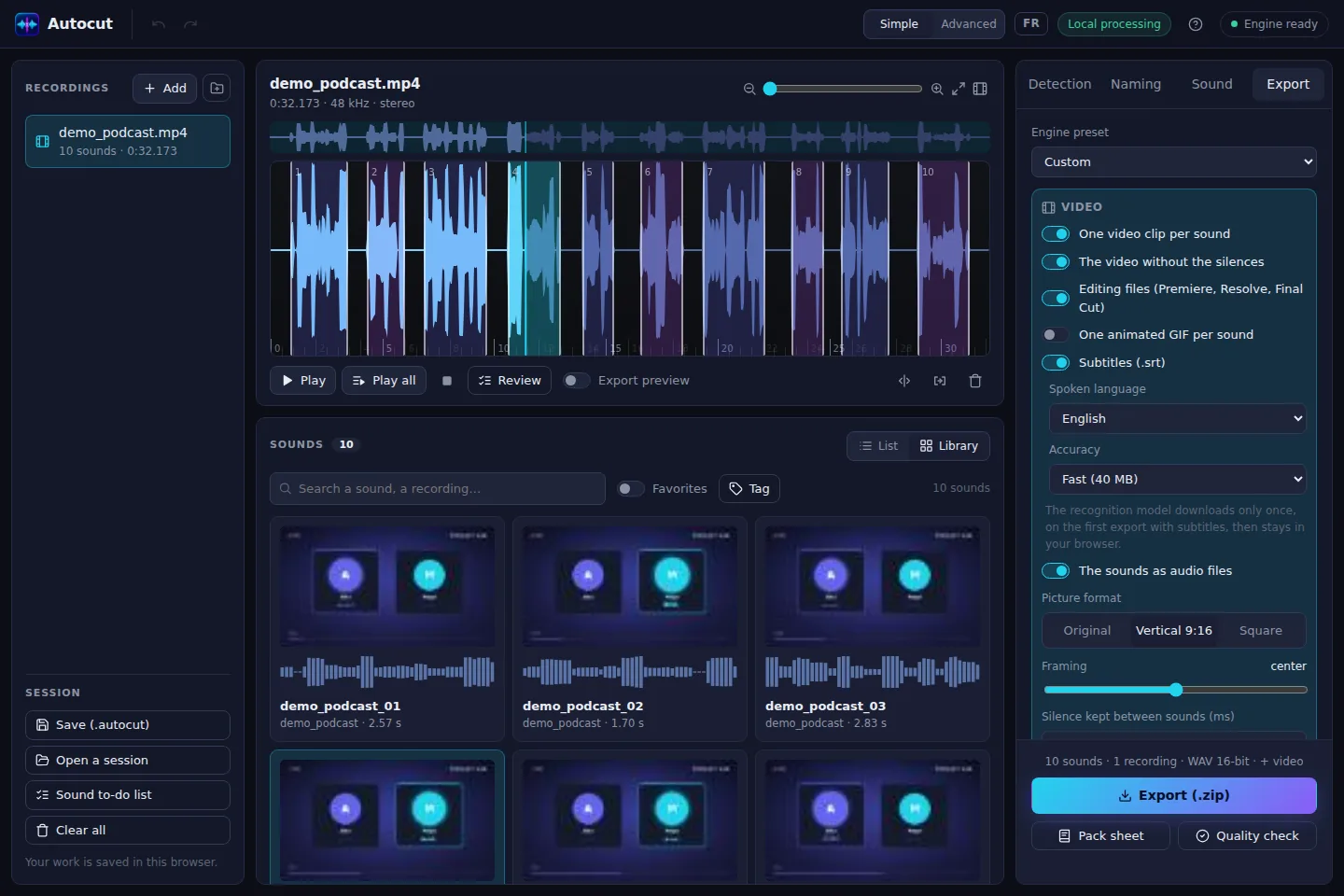
The audio or video version without the silences or the hesitations it finds, keeping the pause you want between sentences.
Podcast loudness (-16 LUFS), low cut against rumble and hiss reduction, set for you with the “Video or podcast” use.
All the text with timings, chapters for the YouTube description, and a Text view to cut a sentence in one click.
.srt files for the whole episode and each excerpt, or the words burned into the picture.
The cuts for Premiere, DaVinci Resolve and Final Cut, on your original file, without re-encoding.
A clip per sentence, vertical for social media, or an animated audiogram if your podcast is audio only.
Open Otocut and drop your video or recording: Otocut instantly finds every part separated by silence.
Click a part to hear it, drag its edges, split or delete what's wrong.
Get a .zip with everything you need, ready to publish or drop into your software.
No. Splitting, cleaning and speech recognition happen in your browser. Only the page and the recognition model are downloaded, once.
Yes. Drop a WAV, MP3 or FLAC: you get the audio without the silences, the transcript, the chapters and the subtitles.
Drag the edges with the mouse, merge or split a part, then export. Ctrl + Z undoes everything.
Other uses